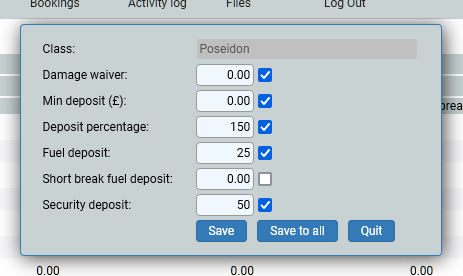
Maintain Security Waivers and Deposits
This screen is where you set the deposits (for when it is the same rate or amount across your fleet), damage waiver, fuel deposits and a security deposit. You do not need to set any of these, but deposits are the most popular charge, to secure a booking.
The location will be your location. If you have more than one, you will need to do each one, as the units within each location will only show up in the list for that location. So, start with your location, and the year you wish to add the deposits, usually the current year and possibly the following year.
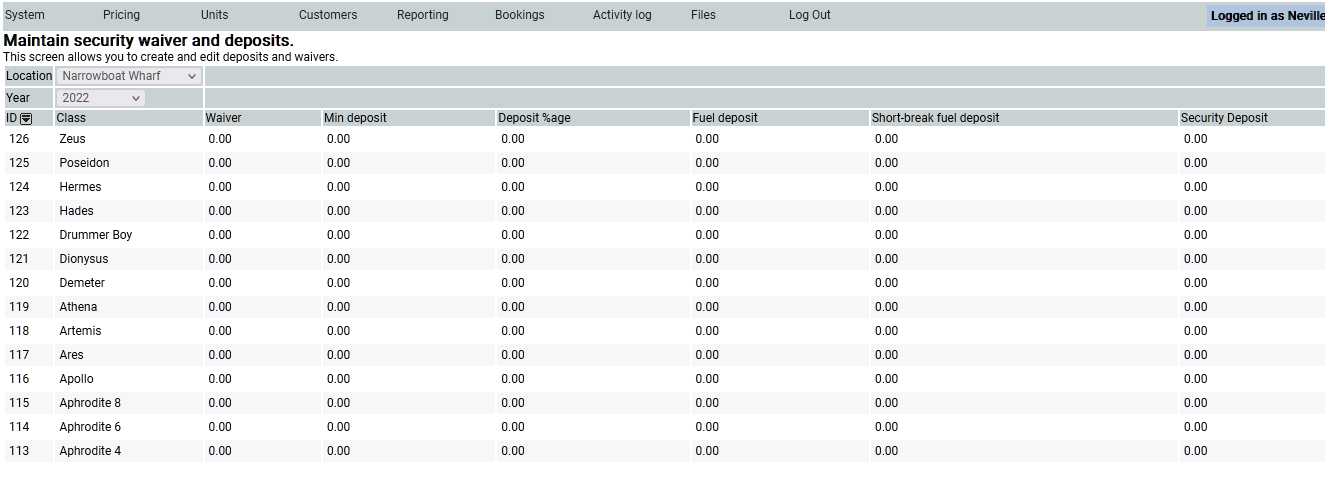
Choose one of your units, in this case I have chosen Zeus, and a pop up window will appear. Complete the relevant inputs, in most cases customers have a 20 % or 25% deposit, some have a fuel deposit of about £100 for the week and £75 for a short break and so on.
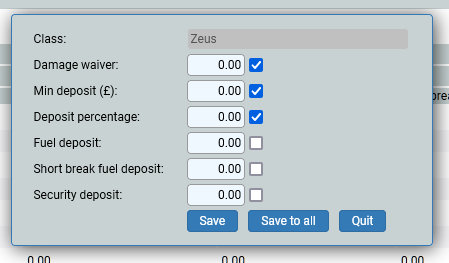
If you click Save to all, then all of the units will be amended with the same information. If you untick the box prior to Save to all, then that data field will not be saved to all.