
Source Analysis
The system allows you to set the souce for a booker's search and booking of their holiday. This information can be very useful to determine your best advertising sources. The Source Analysis 'report' allows you to look at your advertising results and analyse them.
Go to the Customer tab and choose Source Analysis.
A small table will open up, allowing you to add your criteria.
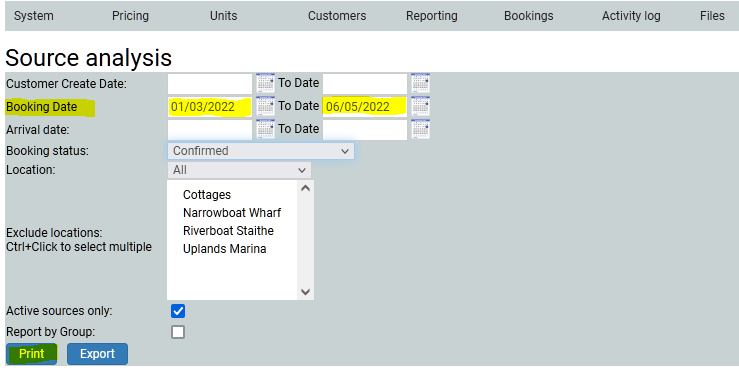
I am searching on booking dates. I can easily search on holiday dates, or Customer Create dates. The customer create date is different to the booking date as the customer may have signed up for a brochure and not yet booked a holiday.
I am also searching on Confirmed bookings only (but I can include any status). I want all locations included, and I only want Active sources. In this case I just want to look at the results, rather than manipulte them, so I shall print. The report will look a bit like this…

The report is broken down into source types so you can easily see which are perhaps the most effective advertising sources are.
If I had clicked Export, my PC would have opened a spreadsheet, which can be manipulted and reconfigured as necessary.