
Table of Contents
Maintain Locations
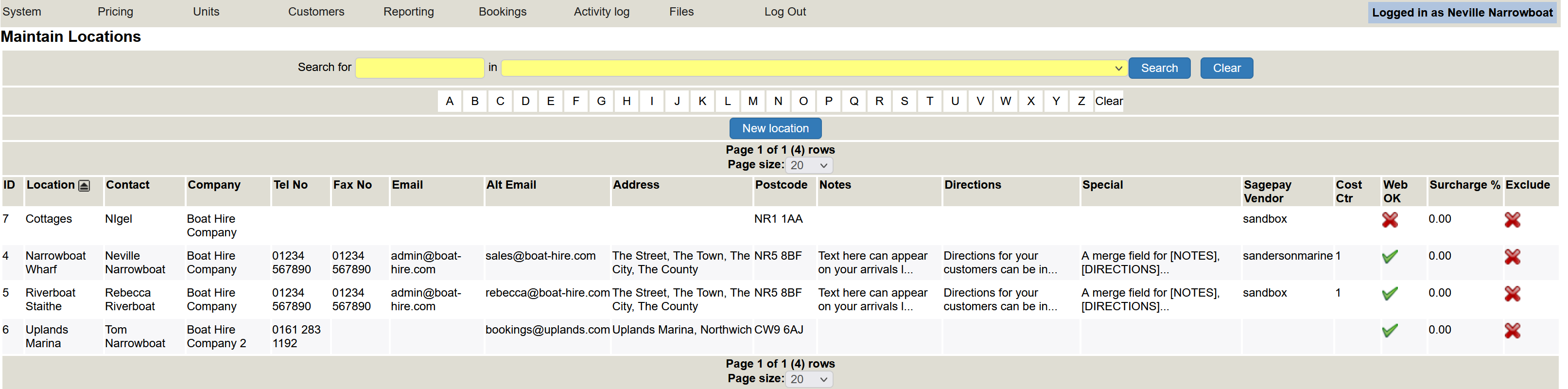
You may operate your business from more than one location. This is where you add your locations. A location can be an actual place, or it can be used to differentiate between your hire boats, cottages, day boats and so on.
To amend an existing location, simply click on it. You can edit it or delete item as detailed in the User interface section.
To create a new location, click the blue New location button.
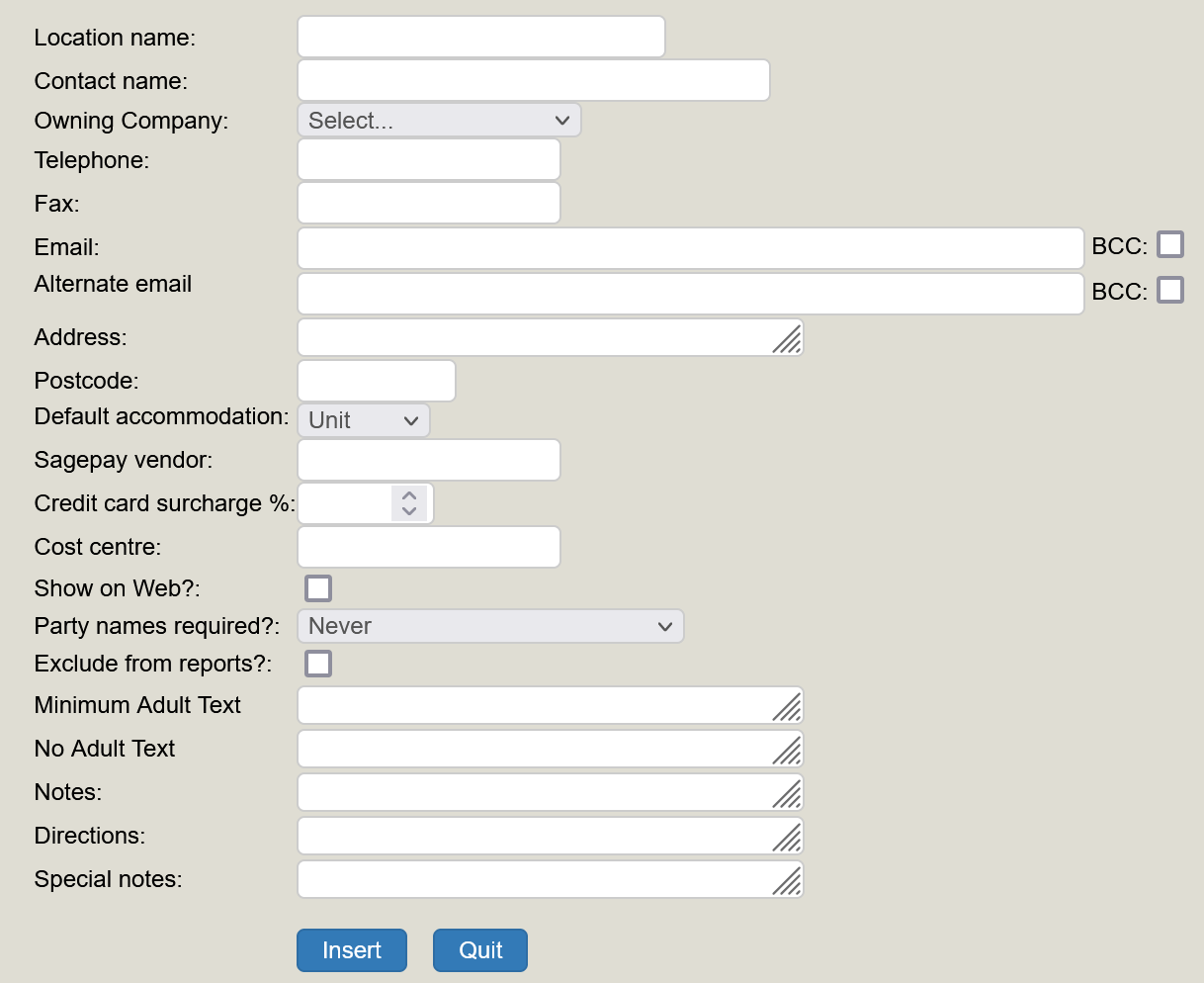
A pop up window will appear where you can complete the relevant information for your new location. Most of the inputs are self explanatory (you can always use an existing location for guidance). See below to see what the pop up box looks like once you click on New Location
Hoseasons
If you use Hoseasons, you will need to add their user name. This is usually your main company name. You will need to add the password for Hoseasons, and the site code which is what Hoseasons use to determine which site you are using for this location.
SagePay information
If you take payments online you will need to add your sagepay vendor name. The cost centre will also be as you have set up for your records (and is often the code for the location).
The rest of the set up is fairly easy. Many of the fields do not need to be completed as they probably do not apply; use the defaults.
A box can be made larger by dragging out the lines in the bottom right-hand corner (the curser will change to an arrow when you have hit the mark).
Click Insert if adding a new location or Save to save an existing location. You can amend it at any time.