
This is an old revision of the document!
Table of Contents
Latelink
Latelink allows you to set and view the rolling 8 weeks discount plans to send to Latelink. It is not enabled by default, please ask us to have it enabled.
Setting the Discounts
Latelink discounts are set via Latelink → Maintain Latelink Discounts. Your screen should look like this:-
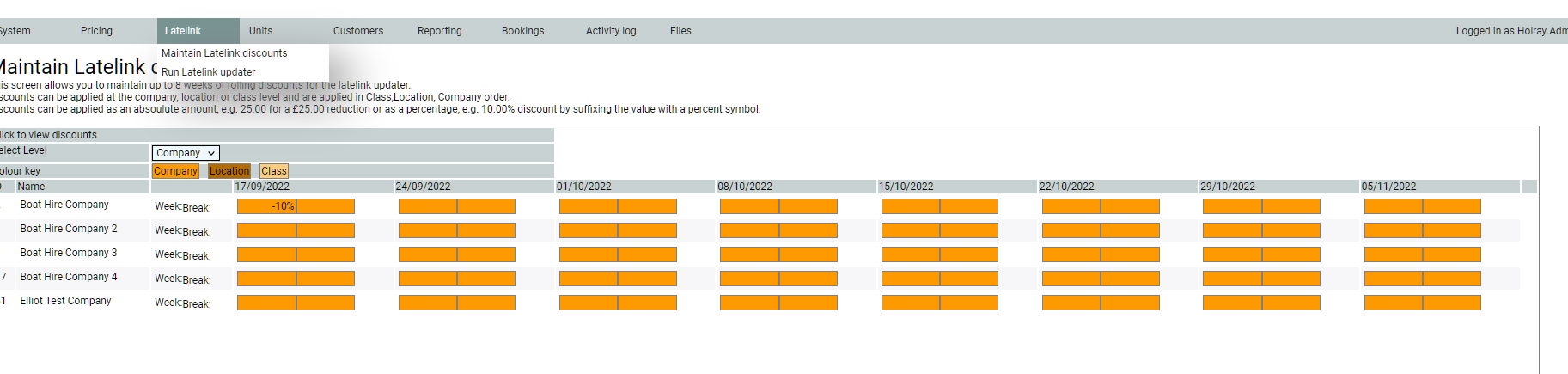
Discounts can be set at Company, Location or Class level. Initially the system shows the company level. There are 8 block of 2 across the page. Each of the 8 block represents the rolling 8 weeks of discount, with the first block being the nearest i.e. the next week. The 2 boxes in each box are the Weekly and short-break prices. Prices can be entered as a fixed amount e.g. 25.00 for a £25.00 reduction, or, as a percentage e.g. 10% for a 10% discount. Discounts “shine” through to all the levels below, i.e. if a discount is set at the company level it shines through to the location and class levels. Discounts set at the lower levels override any higher level settings. You do not need to specifically save a value, tabbing (or exiting) the field after changing the value is sufficient to save it.
Let’s set an 8%,7%, 6% etc discount for weekly breaks and a simple flat 5% for short breaks at the company level, see below:-

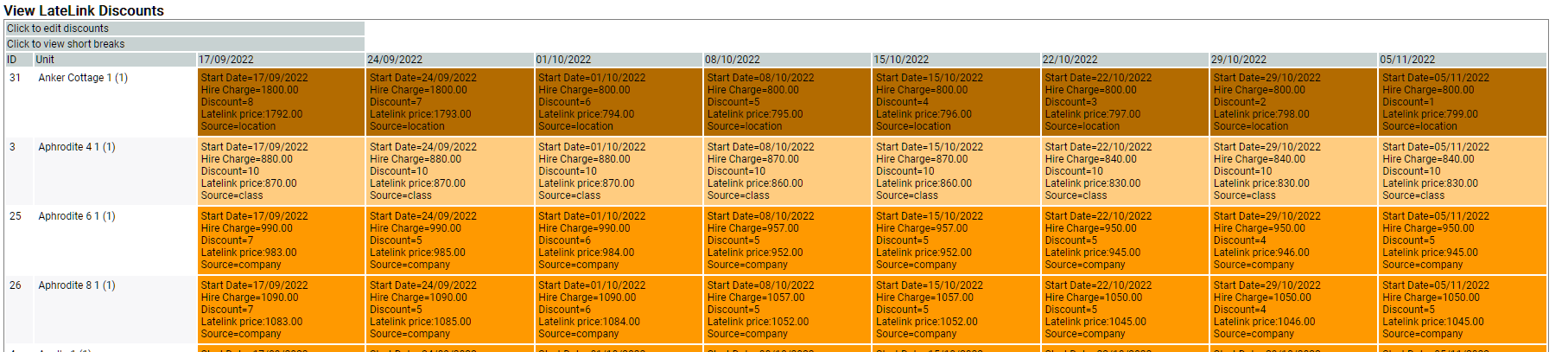
We can see the effect of these on the prices by clicking Click to View discounts

This gives a table showing all units and a colour coded block with the discount showing at which level the discount is set.
Clicking back to Edit discounts lets you switch levels and set the class level for Aphrodite (for example)
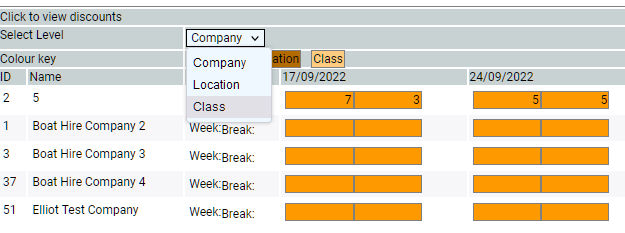
Let's set a 10% discount across the board for weekly and shortbreaks as below:

Note how the background colour has changed to show that the discount is being set for class level.
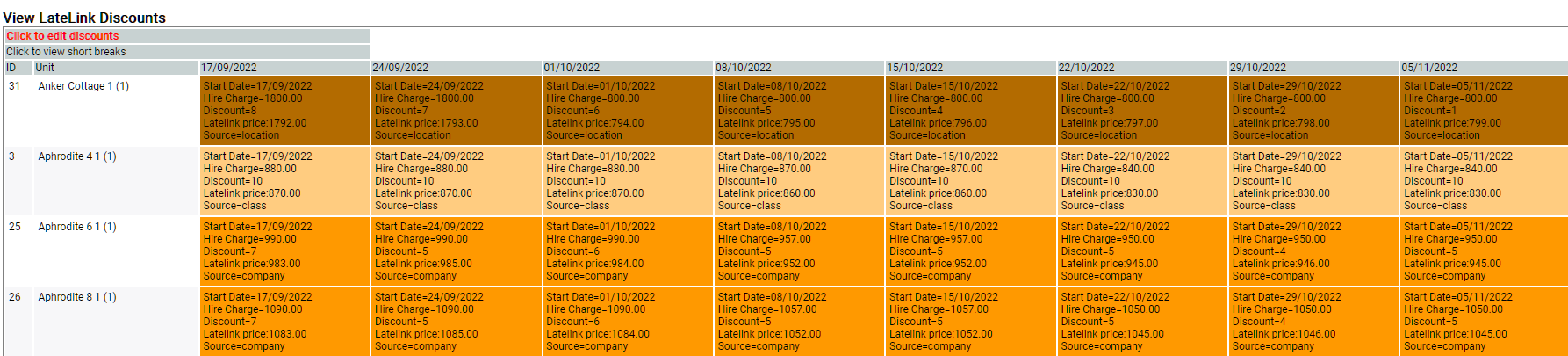
Clicking to view discounts shows the same colouring.

And shows source=class in each box.The other units still show class=company. To unset a value at the class level, click in the box and press delete then tab to the next field.
Running the Latelink Updater
Latelink does NOT update automatically - it needs to be run manually each week. This allows you to check and manage your discounts on a weekly basis. You run the updater via Latelink → Run Latelink Updater. The process posts each price to Latelink and can take several minutes. When it is complete you should see a log of activity on the screen, with FINISHED at the bottom.