
Maintain Extras
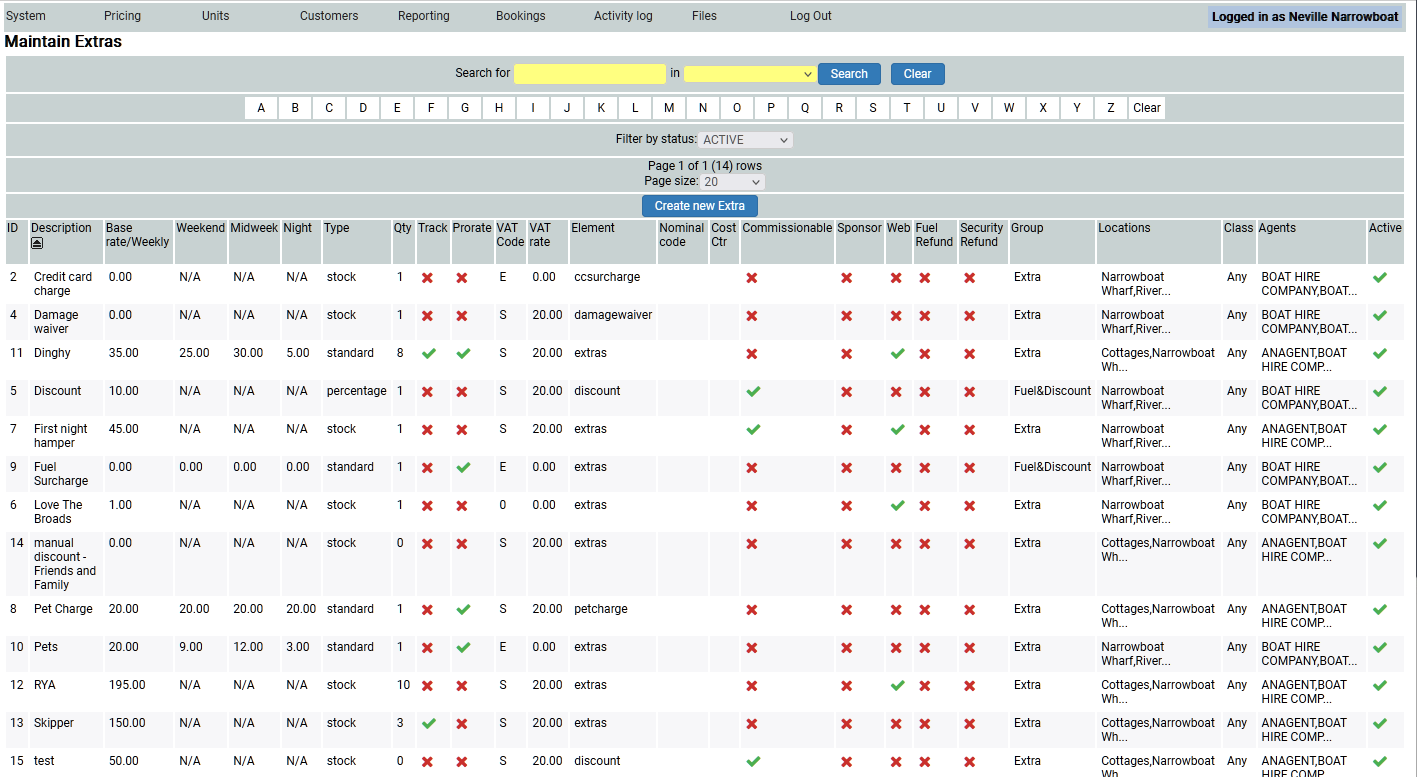
You may want to have extras (upselling) for your customers to buy for their holiday, such as welcome hampers or dinghies. You may also want to have a discount that you as the operator can add to a booking quickly and easily (mates rates perhaps?) and this is where you set them. There are many set already within the system.
Amending an existing extra
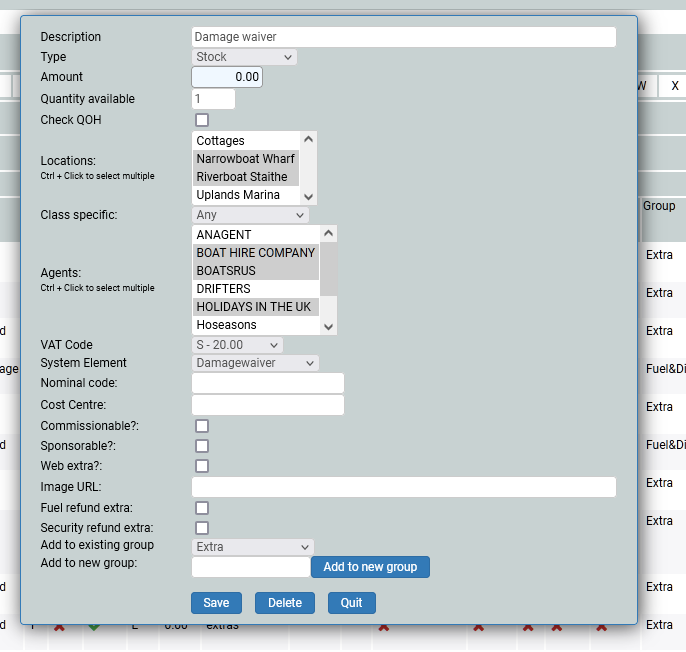
You can amend the existing extra by clicking on it and changing what is necessary, and saving the changes. You can also delete an entry by opening it and deleting it.
Adding a new extra
I am going to add Swimming Wings to my list of extras, so I click on the Create new extra button. A pop up will appear.
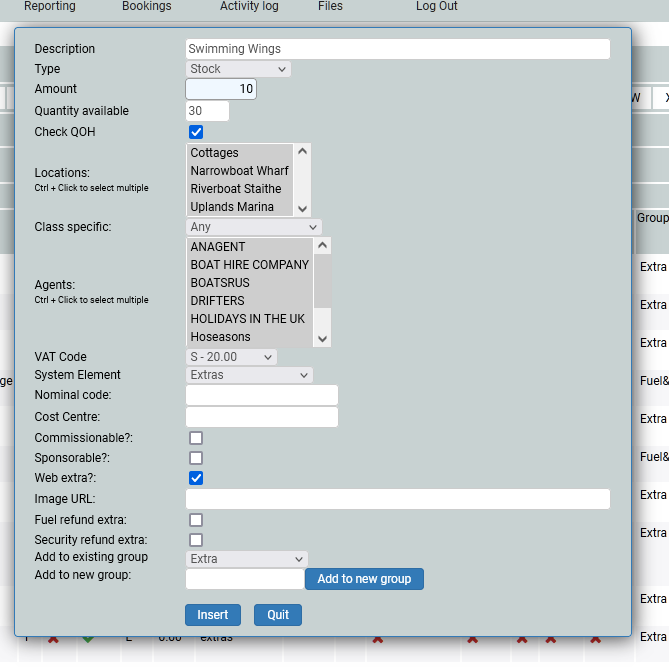
What is it you are adding, make the description clear and concise. What is the type? Stock means that the cost remains the same; it is a flat rate. Standard means that there is a set cost for a holiday duration, so a different price for a week, a shortbreak, a night and so on. Percentage is where the cost is a percentage of the hire charge.
You can set a fixed quantity of an extra. A good example is dinghies, you may only have 10. You can set the system to say you have 10 and ask it to check numbers each time a dinghy is requested. The system will check the quantity available for that holiday and if there is availability, it will allow the dinghy to be booked, but if there are none left, the booker cannot have a dinghy. QOH stands for Quantity On Hand.
You will need to include all locations where the extra is available from. In most cases it is probably available in all locations, but you may have a location where the extra is not available and so you would exclude the extra from this location. Similarly this applies to the agents you may have. Who can apply this extra ion your behalf - once again most cases will allow for all agents.
If you have a specific accounting requirement for the extra, you will need to add it in for the VAT code. The element applies to which part of the booking you want the extra to be charged at, and thus shown on the invoice, which the customer will see a copy of. In most cases it will be Extra.
Nominal code and Cost centre are part of the sage accounting export so in most cases can be ignored. If you use Sage, then you will know what to input.
Is it commisionable, do you have a sponsor for it? In most cases this will be a no.
And do you want it as a web extra online? If yes, then it will appear on the booking form, after the customer has input their details, and before they pay their deposit. A discount should not be online as the customer will always want it!
When adding a discount you can either leave the amount blank, to add at your discretion on a case by case basis, when making a manual booking, or you can set a %age. Ensure that you call it a discount in the system element.
Adding to an existing group. Mostly the groups are Fuel and Discount, or extra. This is for accounting purposes and relate to units, i.e. you group a set of units. If you have groups, they appear on your chartview within the filter. So, if you do not have them, you do not need to add anything here.
All this work in the background will make adding an extra easy and quick, as everything you add here will show in the extras drop down from within a booking, and online (if you have said it can be available on line of course!).