Creating Auto Notes
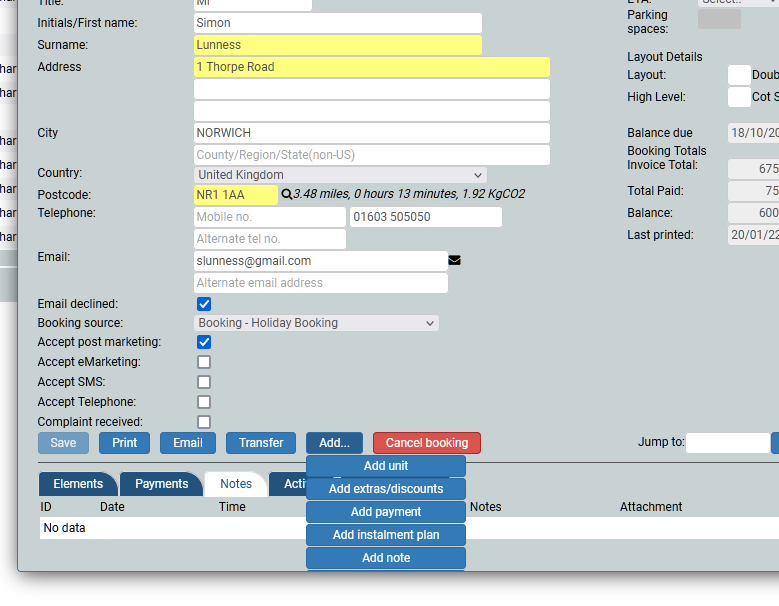
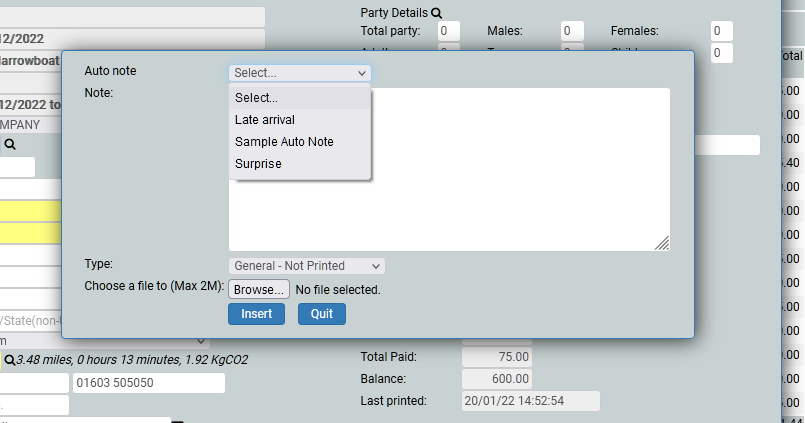
On any booking, you can add notes to that booking, to remind you about something specific to that booking. These notes can be, and are usually, unique to that booking. However, sometimes you might find that you are adding the same note to booking after booking, for example 'Customer would like to arrive one hour late' and this is when auto notes comes in. You can set within auto notes 'Customer would like to arrive one hour late' and it will appear in the drop down within the notes on every booking. Saves you time.
System Settings
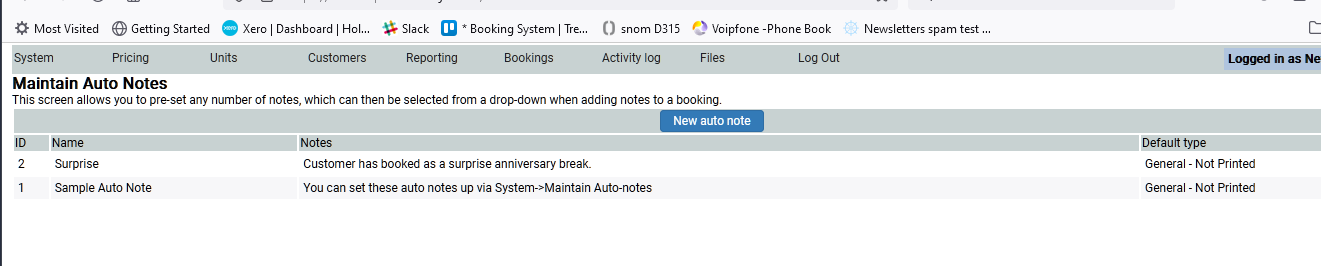
Go to the System Settings and choose Maintain Auto Notes. Click on Add New Autonote.
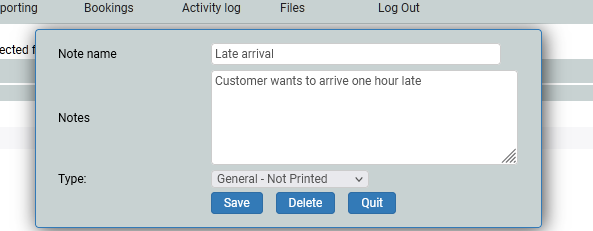
Add a title and description of your auto note. And click insert.
Next time you wish to add a note to a booking, go to the Add button and choose Add note where you will find a drop down, and your auto notes will be on this dropdown list. Or you can add a new unique note as you wish.